
 EN
ENInput
Absence type and dates
Employment relationship and employee
Approvers under organisation rules
SIFYBOX · NEP
Takes an absence request from the employee through approval into the team calendar. The organisation configures supported types and approvers; an approved absence can trigger ZST delegation when configured.

Directly from the application
We use real application screens only. Published captures are cropped or anonymised so they do not contain personal or sensitive operational data.
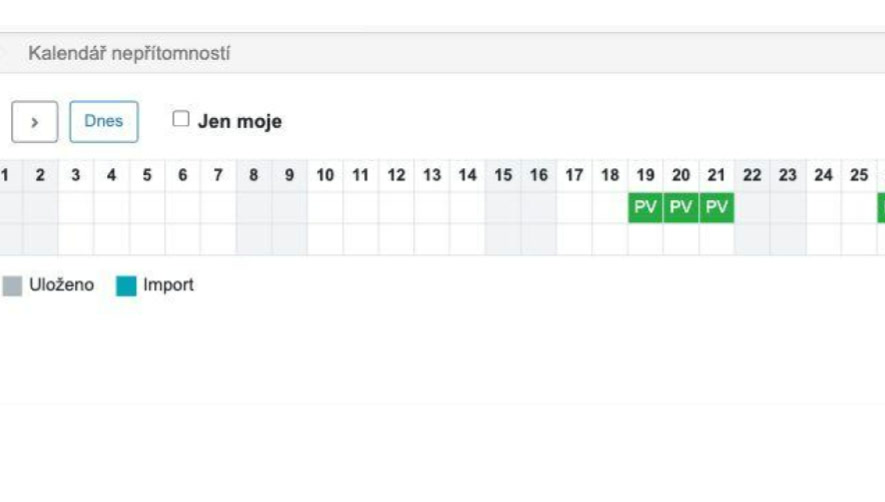
Managers see team availability without opening individual requests.
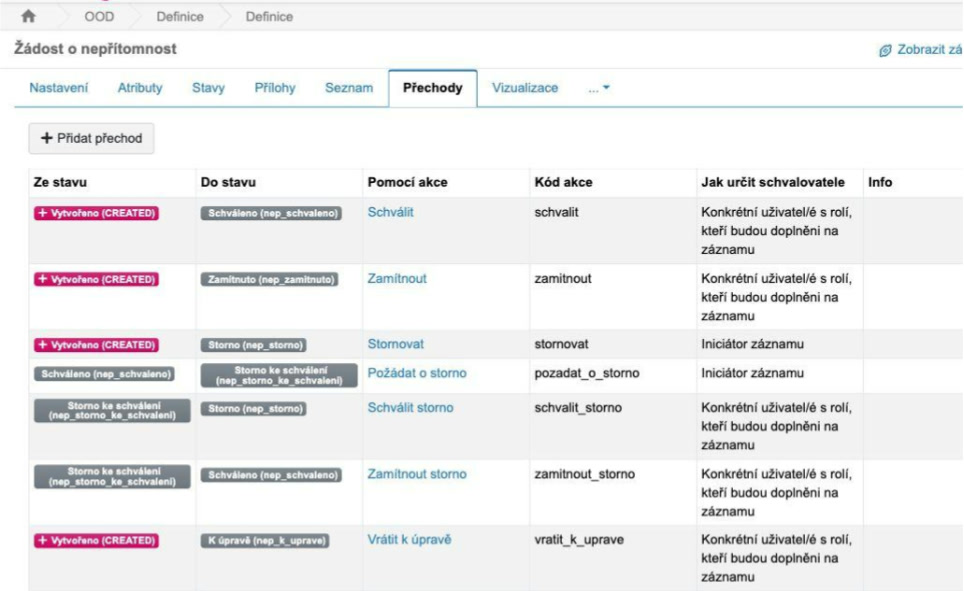
The configuration covers approval, rejection, correction and cancellation.
From input to outcome
Absence type and dates
Employment relationship and employee
Approvers under organisation rules
Validates dates and required details
Routes the request for approval
Updates the calendar and connected workflows
Approved or returned request
Team calendar
Input for DOCH, ZST and HR
Capabilities
Where it is used
Who works with it
Connections
Related components
Components can run independently or be combined into one solution for a specific workflow.